ToddlerLock
Free, always$0forever
The part you came for. All here.
- Touch lock and automatic return to one app
- Max Lock with Android’s app pinning
- Slide to release
- A 20-minute timer, or no timer at all
- No ads or account required
 ToddlerLock
Get it on Google Play
ToddlerLock
Get it on Google Play
A little boundary for little hands
Their favorite video keeps playing. Accidental taps go nowhere. ToddlerLock is a free touch lock for Android that keeps little hands in the app you chose.
Free to use · Android 7+ · No ads
Slide to release.
You're the one who releases it.
Tap the picture. Their scene stays put.
0 touches blocked in this demoInteractive illustration, not a device test. See how Android affects the lock.
Made for the actual moment
You’re in a waiting room. Dinner’s almost here. A small hand is already reaching. This part should be easy.
Before your first handoverEnable Android’s Accessibility and “Display over other apps” permissions so ToddlerLock can block touches and bring the chosen app back. Read the setup guide.
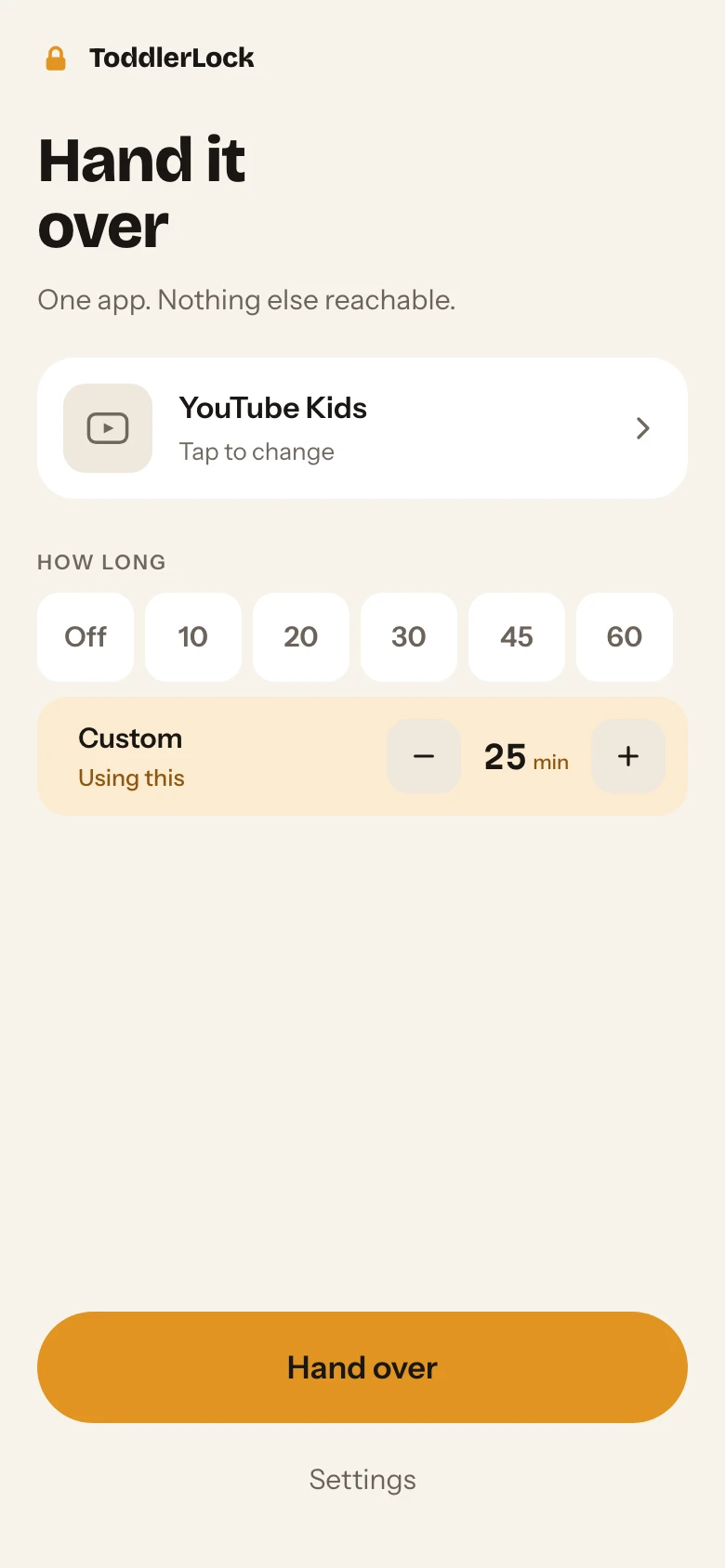
The actual app. Home screen with Plus options shown.
A quieter kind of app
ToddlerLock has no ads, and core locking needs no account. Optional Google sign-in connects an eligible Plus trial, referrals and purchase access. ToddlerLock doesn’t remove ads from the video app you choose. Parents who choose Plus support ToddlerLock, and your data is never sold.
Six types of account-unlinked usage counts are on by default, with no identifier and never the name of the app you lock. You can switch them off in Settings. Account features separately send the records described in the privacy policy.
Our privacy policy, in plain languageStart with everything you need
Plus adds more say over time
and who gets to release the phone.
$0forever
The part you came for. All here.
$9.99/ year
More control, as they grow.
Eligible adults can start a separate 14-day Plus trial with optional Google sign-in. No payment method is required, and it never charges automatically. Prices shown in USD; local prices and tax may vary. Paid yearly and monthly access starts only after you confirm a Google Play purchase and renews until canceled. Lifetime is a one-time purchase. All purchases happen inside the app through Google Play.
Before the handover
Built for small hands.
Use it with an adult nearby.
System panels sit above app overlays. ToddlerLock brings the chosen app back and sweeps the notification shade shut. Navigation behavior varies by phone; Max Lock uses Android’s app pinning for a stronger hold.
Picture-in-picture windows can sit above the touch lock. Close floating windows before handing over.
ToddlerLock doesn’t read or filter content inside the chosen app. Pick the video yourself and stay nearby.
The touch lock blocks taps, and release takes a deliberate slide. Plus can require a PIN or fingerprint. Android system controls vary by phone, so try a supervised handover on your device first.
While the lock is active, accessibility access lets ToddlerLock identify the foreground app, return to the one you chose, and close system panels. It doesn’t read your messages or record screen content, and the service does nothing while the lock is off. Setup also asks for permission to display over other apps.
Core locking and releasing work offline. Account trials, referrals and purchase sync need a connection. The video or app you choose may also need its own connection.
No. The touch lock, automatic return, Max Lock, slide release, and a 20-minute timer are free permanently. You can also use the lock with no timer. Plus adds more time controls and PIN or fingerprint release.
ToddlerLock is for Android phones running Android 7.0 or later. There is no iPhone version.
ToddlerLock is on Google Play for phones running Android 7.0 or later. Install it, grant the permissions it asks for on first run, and the lock works with no account. Plus is optional and is bought inside the app.
A little help before the handover
Practical Android guides for choosing an option, setting it up, and understanding its limits.
Compare your options
How app pinning and touch locks differ, and what to try before handing over.
Keep the video playing
Start with YouTube's built-in lock, then compare options for accidental taps and app exits.
Get started
Permissions, a supervised first handover, parent release, and help when something behaves differently.
For Galaxy owners
Choose between a children's environment, one pinned app and a lock for accidental taps.
No ads. Core lock needs no account. Free to start, free to stay.